Find a starting point
Browse courses, individual lectures, workshops and collections. Search or filter by subject and level, from beginner to advanced.
 BENARIACADEMY
BENARI Academy
Explore audio courses, check what you’ve learned and ask your lecturer a question. Use the same BENARI account you read and listen with.
Sign in with your BENARI account.
For learners
Find the right material, listen at your own pace and pick up where you left off. When a course runs in a group, your schedule and announcements stay close at hand.
Browse courses, individual lectures, workshops and collections. Search or filter by subject and level, from beginner to advanced.
Use the BENARI player to change the speed, set a sleep timer and return to the point where you stopped.
A lecture can include notes, a transcript, supporting materials and a course outline when the lecturer provides them.
My Learning shows progress and saved items. Tests are marked automatically and you can review your answers. Completion follows the course’s required lectures and tests. Standalone tests are opened through a direct link.
Send a question to your lecturer without leaving the lesson. Only the teaching team sees it.
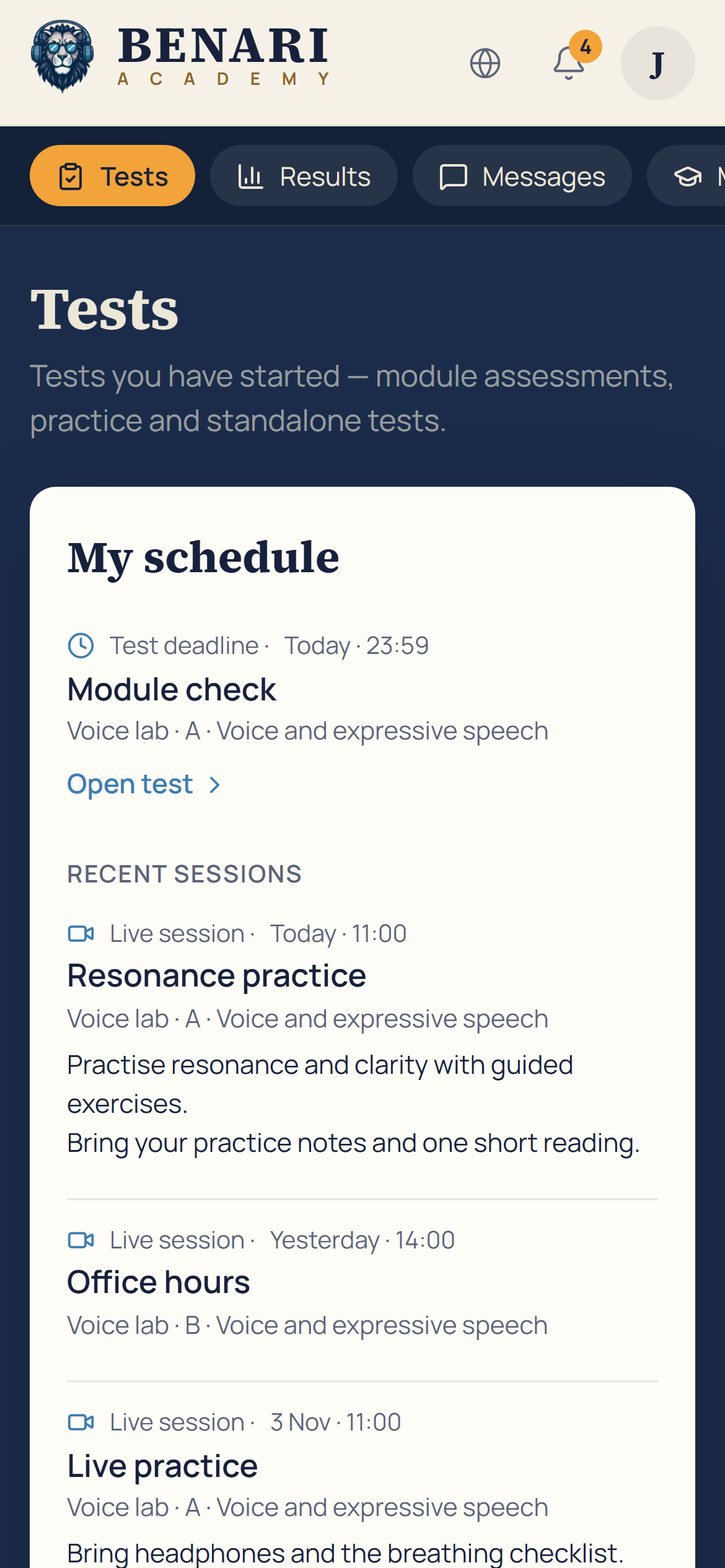
Join by invitation. Find classes and deadlines in your schedule, discuss announcements and receive notifications about replies, updates, sessions and cancellations.
Screens
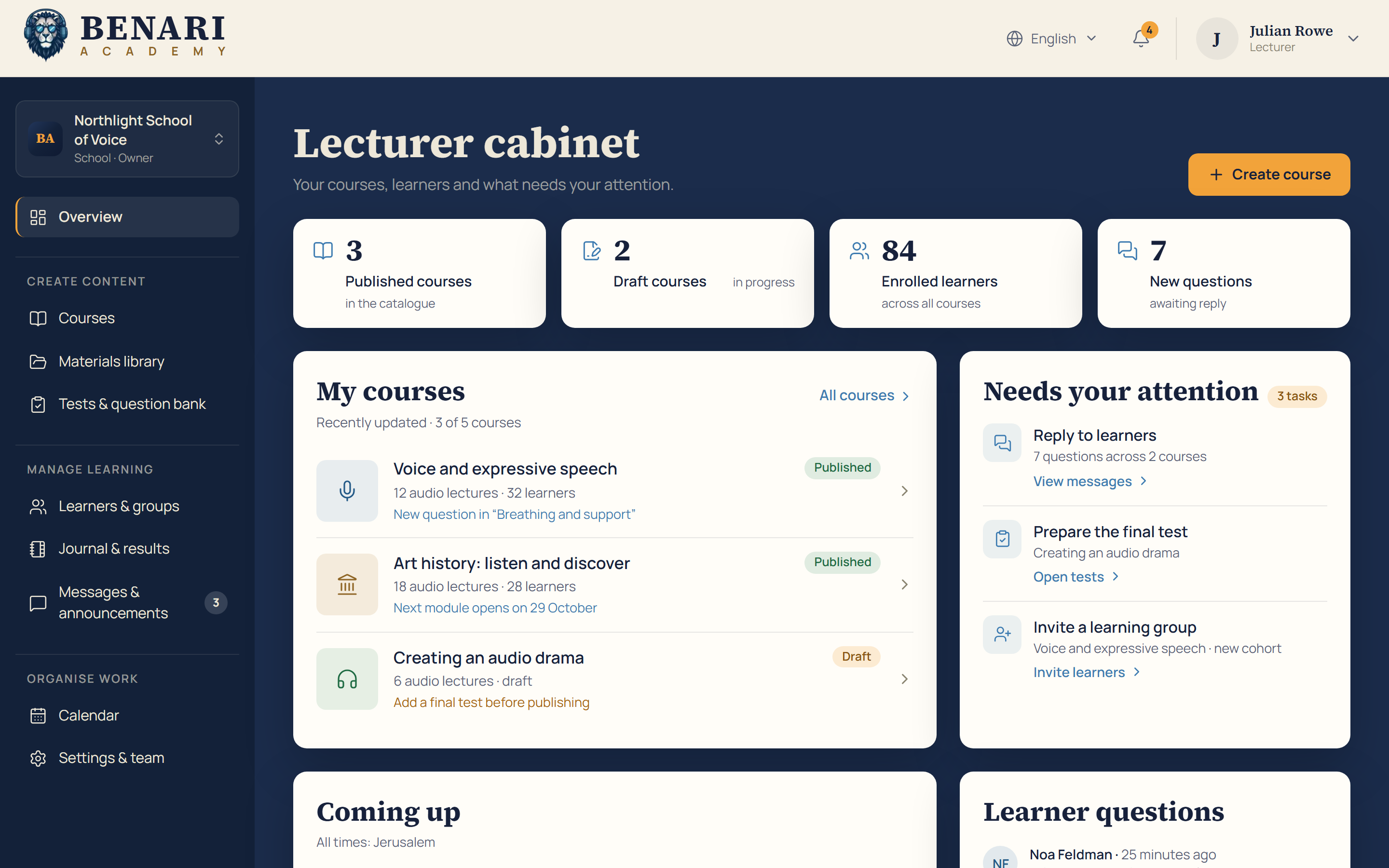
Explore the lecturer’s workspace and see the learner’s schedule on desktop and mobile. The interface shown in these examples is in English.
Courses, learners and tasks that need attention in one view.
Screenshots from the demo workspace. Participant and applicant names are fictional. Courses, figures and dates are illustrative.
For lecturers
Set up an audio course, guide a group and follow each learner’s progress. The lecturer’s workspace uses the same BENARI account.
Work in a personal, school or team workspace. Owners, lecturers and group tutors have different roles. Invite colleagues with a single-use link.
Set up the basics, build the curriculum, then review and publish. Add modules, audio lectures, transcripts, timestamps, materials and cover art.
Publish to the catalogue after BENARI’s editorial review, share by link or keep a course private.
Keep versioned questions in the bank: single choice, multiple choice or true/false. Set attempts, time limits and a pass mark; tests are marked automatically.
Keep materials in a library with versions, collections and tags.
Set module release dates. Invite learners by email, CSV list or link and check email delivery and individual progress.
Use the journal for lecture and test results, export CSV and reply to questions. Publish announcements now or schedule them, with discussion in context.
Use month, week or agenda views, share an external meeting link, record attendance and make the session recording available afterwards.
Access
Access depends on the course. Sign in to see what is available to you.
Free courses are open to anyone with a BENARI account, including on the free Voice plan.
Courses for subscribers are included with either active paid subscription: Voice+ or SuperVoice.
BENARI Academy
Free courses are available with a BENARI account. Courses for subscribers are included with an active Voice+ or SuperVoice subscription.
Lectures are audio. If a group course has a live session, you join it using an external meeting link shared by the lecturer.
The catalogue and player are available in English, Russian, Spanish, Polish and German. The lecturer’s workspace and learner test pages are available in English and Russian. The language of each course depends on its lecturer.
Follow that course’s completion rules, including its required lectures and required tests. Listening alone may not complete the course.
Lecturer access is granted by the BENARI editorial team. Write to info@voiceofbenari.com to discuss your course idea.