No chapters found. Try another word or clear your search.
The working room and its development
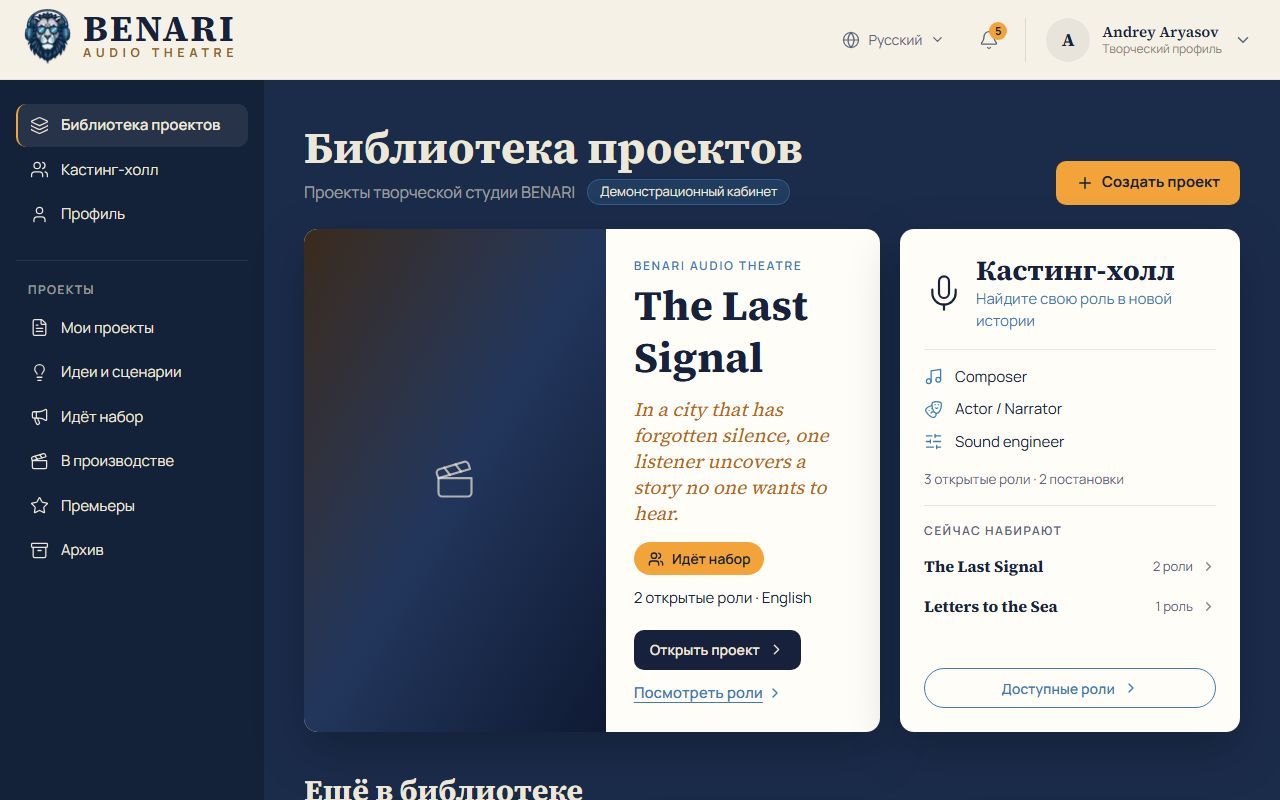
The studio manual already documents a Producer Room. Production managers have a decision overview, internal invitations, funding and resources, partner management, promotion, sessions and session sheets. This is a reference page; operational actions take place in the BENARI studio.
A separate source is the concept dated 21 October 2026. It proposes a fuller Producer Room architecture: eight connected areas, personal outreach, extended partnership tracking, preparation tools and separate permissions. Overlap with the manual does not establish that every extension is implemented. Below, current capabilities are labelled 'In the manual' and proposals 'In the concept'.
The room's purpose is to help a producer assemble a team, secure resources and bring a production to its premiere. Work revolves around a specific decision: finding a composer, obtaining a performer's reply, preparing a partner proposal, confirming a rehearsal or approving an expense. The concept gives each issue an owner, status, deadline and next action. People, production and funding connect through one project.
The original concept discussed structure before mockups. This material does not initiate messages, research organisations or conduct negotiations. BENARI supplies tools and a platform; the production's managers and producer decide its cast, terms, schedule and partners.
Entry, project stage and shared data
In the manual: enter through the Producer Room button in In Production; access is limited to production managers. In the concept: an additional entry is proposed from your project card in My Projects. The header contains the project selector, production language, stage and user role, within the BENARI visual shell.
The concept allows producer preparation from project creation, before rehearsals or recording. Access alone must not move a project from Team to Recording. Performers' In Production view retains working scenes and tasks for productions admitted to production.
The room does not create independent copies. Projects, roles, open calls, applications, offers, tasks, materials, calendar events and conversations remain shared studio objects. A call appears in Open Calls, an invitee's reply connects to the application, and a meeting to the project calendar. Role terms use existing offer versions and a separate candidate view. Scenes, tasks and materials open through project context; their working screens remain in In Production.
Platform decisions: the manual assigns stage changes, exact premiere dates and times with time zones, and edition linking to the BENARI team in VikiSpace → Catalogue and content → Audio Theatre. Studio participants cannot access that area. Changes immediately appear in the project, the Release in BENARI condition and Premieres. The producer gives an approximate month and prepares the production for master delivery and review. See the studio guide, the recording guide and the audio theatre introduction.
Eight areas in the concept
This is a proposed structure of connected work areas, rather than a list of promised integrations.
| Area | Purpose and actions |
|---|---|
| Overview | Decisions and obstacles: reply, approve, invite and assign an owner. |
| Team and casting | Roles, occupied places, candidates, reserves and terms: create a role, open a call, compare candidates, request an audition and offer a role. |
| Invitations | Individual and group outreach: choose recipients, prepare personal messages, review, send and process replies. |
| Sponsors and partners | Research, outreach, negotiations and delivery: investigate an organisation, assess fit, build a proposal and schedule the next contact. |
| Budget and resources | Costs and provision: add a need, connect a partner or expense to a stage and record a confirmed receipt. |
| Calendar | Rehearsals, recordings, deadlines and meetings: agree times, request confirmations and prepare a session sheet. |
| Messages | Replies, team discussions and private correspondence: open the original conversation and link a message to a task or decision. |
| Documents | Agreements, credits, proposals, presentations and decision history: prepare a document, check its version and grant selected access. |
Overview: today's decisions
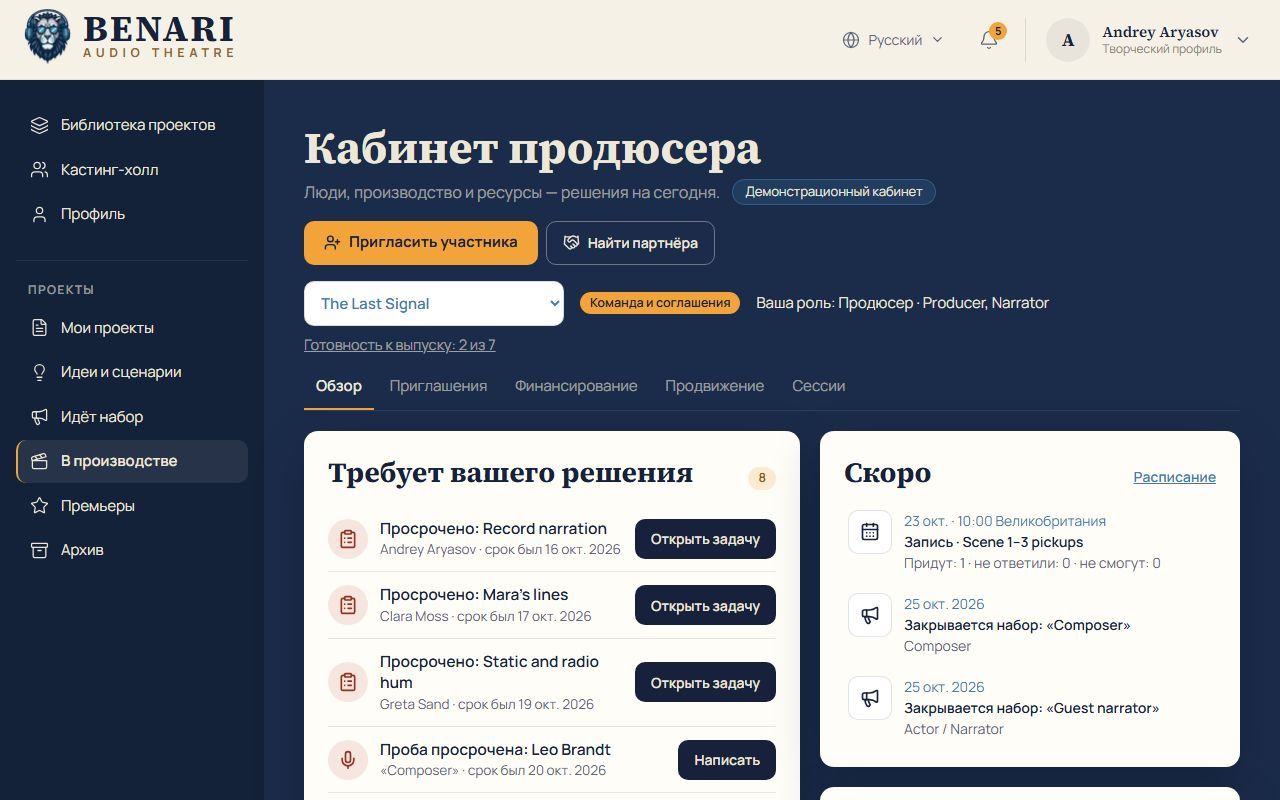
In the manual: Requires your decision collects overdue tasks and auditions, unanswered applications and questions, expiring offers, sessions awaiting replies, partner actions, commitments and a delayed launch plan. Every item has an action. Coming soon shows upcoming sessions and call closing dates. Top actions include inviting a participant, finding a partner and release readiness.
The concept proposes five overview blocks:
- Requires your decision. Candidate requests, terms approvals, schedule problems and partner replies. Each row explains the reason; priority comes from a real deadline or dependency.
- Team and vacant roles. Open places, candidates ready for a next step, and terms needing preparation or approval.
- Funding and needs. Planned costs, confirmed monetary support, actual receipts and the remaining need; non-cash help is separate.
- Upcoming events. The week's rehearsals, sessions and partner meetings with participant confirmations.
- Producer tools. Invitation packs, session sheets, partner presentations and premiere preparation, each producing something reviewable.
The main actions are Invite a participant and Find a partner. Empty states should offer clear starting steps. Plans and assumptions remain distinct from facts; invented achievements or numbers must not fill an empty screen.
Invitations: purpose and next action
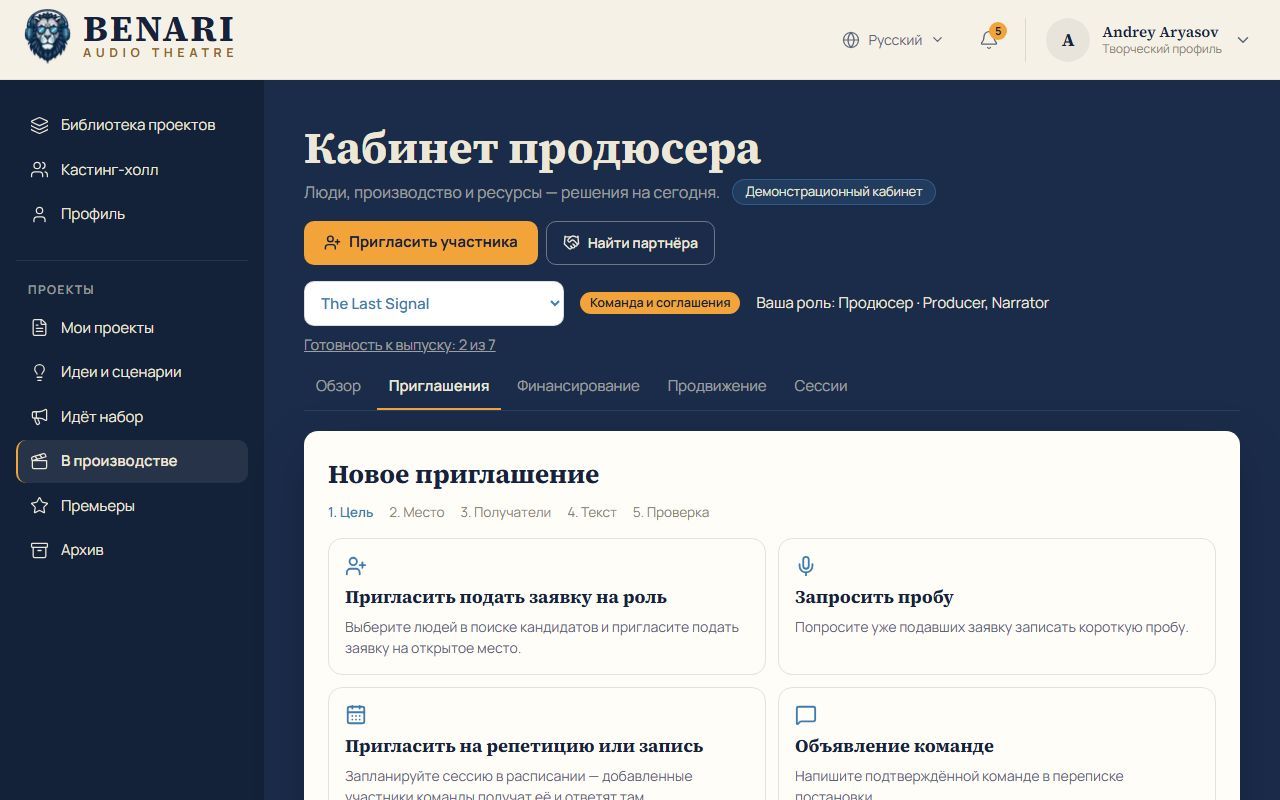
In the manual: the wizard has five steps: purpose, destination, recipients, text and review. Nothing is sent until the explicit final action. Internal invitations appear in Casting Hall and the notification bell; a sent log sits below the wizard.
The concept's complete sequence: purpose → role or event → recipients → personal text and materials → review → explicit sending → replies and the next action.
- Invite someone to apply for an open role, using candidate search.
- Request an audio audition from selected candidates who have applied.
- Invite people to a rehearsal or recording linked to a scheduled event.
- Deliver an announcement to the confirmed team through production correspondence.
A formal role offer remains a separate process with personal terms, versions and the recipient's response. A single vacant role must not be offered to a group as simultaneous appointments. Accepting an invitation to apply leads to casting; appointment and team access require separate confirmation of participation.
Recipients, text and access review
In the concept: find BENARI participants by specialism, language, availability, working format and suitable visible portfolio work; use your own saved lists. Search must respect profile visibility and invitation preferences. In the current manual, candidate search requires the person's permission and never displays contact details.
The first channel is internal BENARI. External addresses and email are a separate proposed extension with an explicitly selected sender and available channel. A group action should create a personal message for each recipient; each reply belongs in that person's permitted conversation.
Templates for actors, composers, sound engineers and other roles may use name, production title, role, reason for interest, workload, language, proposed dates, remuneration terms and a role link. The text remains editable per recipient.
The preview should show exact names, recipient count, text, materials visible to each person and the requested action. Both recipients and wording are checked. Attachments and personal terms do not become available to the entire group automatically.
Invitation statuses and follow-up
The concept defines statuses for each recipient: draft → awaiting sending → sent, with separate error, reply received, declined and no response states. Sent does not mean read. Replying to an invitation does not replace accepting a formal role offer.
History should prevent repeated outreach for the same purpose, renewed invitations after a refusal and duplicate conversations. A reminder is first prepared as a suggested next action; automatic sending requires separate configuration. The current internal wizard and sent log do not establish that the entire extended status model or external automation is available.
Partners: start with production needs
The first of the concept's five stages identifies what the production needs: funding for a specific stage, studio hours, equipment, music recording, editing and mixing, translation, promotion or a premiere venue. Each need connects to a budget, deadline and owner.
In the manual: funding distinguishes money needed, promised, covered by agreements, received and still to find. All amounts are in pounds. Non-cash help is tracked separately. Needs have an amount and deadline; receipts and partner commitments are tracked with due dates.
An invitation to negotiate, a promise, a signed agreement and money actually received are different facts. Received means an actual cash receipt. Studio time, equipment and services can meet needs but do not become monetary revenue. A partnership status cannot replace the money ledger.
Researching suitable partners
The second stage assesses fit by production theme, language, country and region, audience, type of support, timing and organisational interests. Initial research categories include publishers and book projects, cultural and educational organisations, studios and audio brands, specialist communities and local businesses with a suitable audience. These are hypotheses, not claims that particular companies are willing to support BENARI.
The concept proposes manual entry and import of your own contacts for an initial release. A separate future research tool could record the organisation, official source, relevant programme or interest, suitable published contact, verification date and reason for fit. Possible interest must be labelled as an assumption; a contact does not imply consent to partnership. A directory of partners open to BENARI approaches is a later possibility, dependent on real members joining that network.
The manual already describes selection: five criteria scored 0–2 each: matching theme, suitable audience, an organisational need the project addresses, realistic contribution and a working contact; plus a blocking factor. Partner records include type, country, language, decision maker, restrictions, contact, next action and date. Asked not to be contacted removes the partner from reminders. This is not automatic sponsor discovery.
Partner record, negotiations and contact history
The third concept stage centres on one record: organisation and information source, interests, contact with its source, reason for fit, required support, participation format, owner, last contact, next action and date, correspondence, proposal versions and documents.
The concept board is Found → Researched → Outreach prepared → Sent → Negotiations → Agreement. Refusal, suspension, delivery and receipts remain separate. One agreement may have several receipts and several commitments.
The manual's current pipeline continues: found → researched → outreach ready → sent → negotiations → agreement → delivery → report / renewal; later and declined sit aside. The platform prepares drafts for a first message, reminder, final reminder and conversation summary. You copy and send them from your own email. Message sent records contact and only moves the stage forwards. Preparing a draft does not send it.
The sponsor or partner pack
The fourth concept stage proposes an editable page builder and presentation export: the audio drama idea, synopsis, team, permitted audio sample, audience with verified evidence, distribution channels, release plan, requested support and BENARI's proposed commitments.
A new production may describe an intended audience, cultural value, team experience and distribution plan. Projected reach remains separate from measured reach. Having no established audience must not be disguised with invented figures.
Possible packages include production partner, recording partner, music partner and media partner. Project-page placement, credits, announcements and mentions before or after the drama are selected and agreed for the specific proposal. The concept includes reviewing what the recipient will see before an explicit send.
The manual already provides a pack through a secret link: without signing in, a partner sees only the pack and production title. Access can be closed at any time. Anyone holding the open link can view it. Closing disables it; reopening creates a new link while the old one stays closed. Presentation export and the extended builder remain concept proposals.
After agreement: delivery and reporting
The fifth concept stage turns agreements into trackable commitments: obtain a logo, approve mention wording, prepare placement, publish and supply a report. Each has a deadline, owner and evidence. Partner work thereby connects to production and premiere preparation.
In the manual: commitments and actual receipts are already tracked; a report on delivery has a separate secret link. Tagged UTM links can be prepared for partners and channels. The studio does not yet count clicks on those tags: reports must say no data when measurements are absent.
The concept treats grants and audience support as separate funding types with their own criteria, applications and terms. Sponsors and partners are the initial priority; grant programmes and crowdfunding are proposed for later development.
Seven tools and release preparation
The concept organises short actions around a concrete output.
| Tool | Output |
|---|---|
| Build an invitation pack | Project brief, role, terms, link and personal message. |
| Compare candidates | Demos, experience, stated availability, expectations and notes for a selected role. |
| Request availability | Selected participants' answers for proposed time slots. |
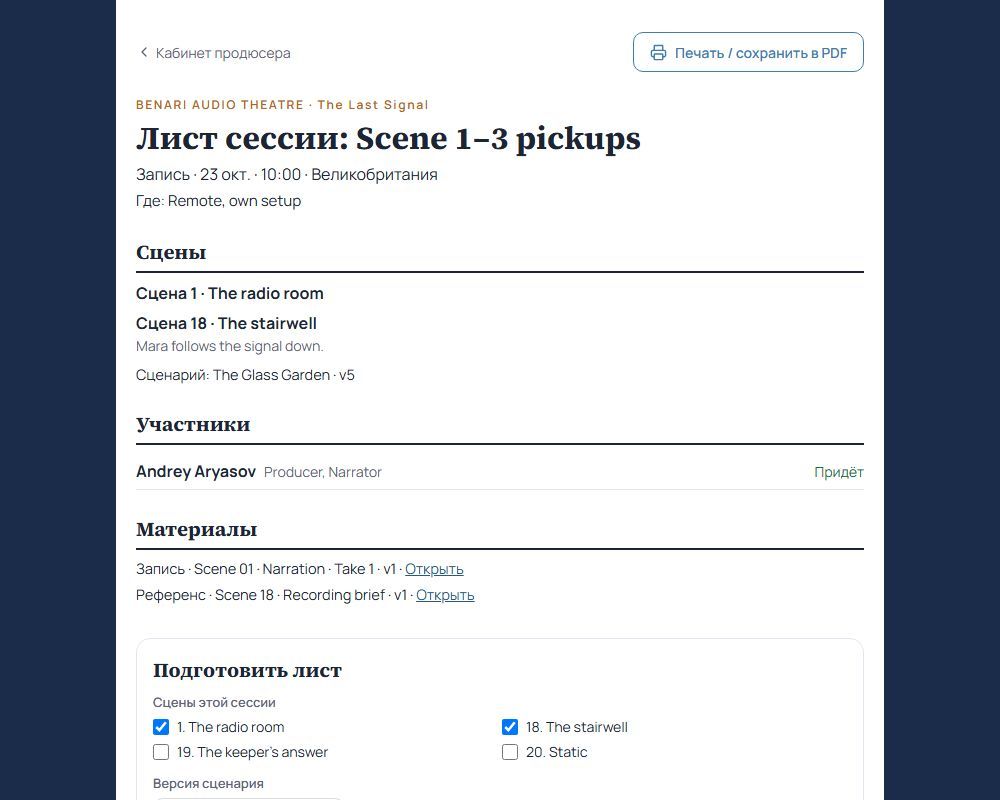
| Prepare a session sheet | Date and time zone, scenes, script version, participants, materials, connection link and confirmations. |
| Build a partner proposal | Presentation, rationale for fit, request and specific package. |
| Prepare a team update | Changes to tasks, dates and materials with exact links. |
| Check premiere readiness | Required approvals, final materials, credits and commitments. |
The proposed assistant can suggest wording and assemble documents from project data. Author edits, real figures, recipients and final sending remain explicit, reviewable actions.
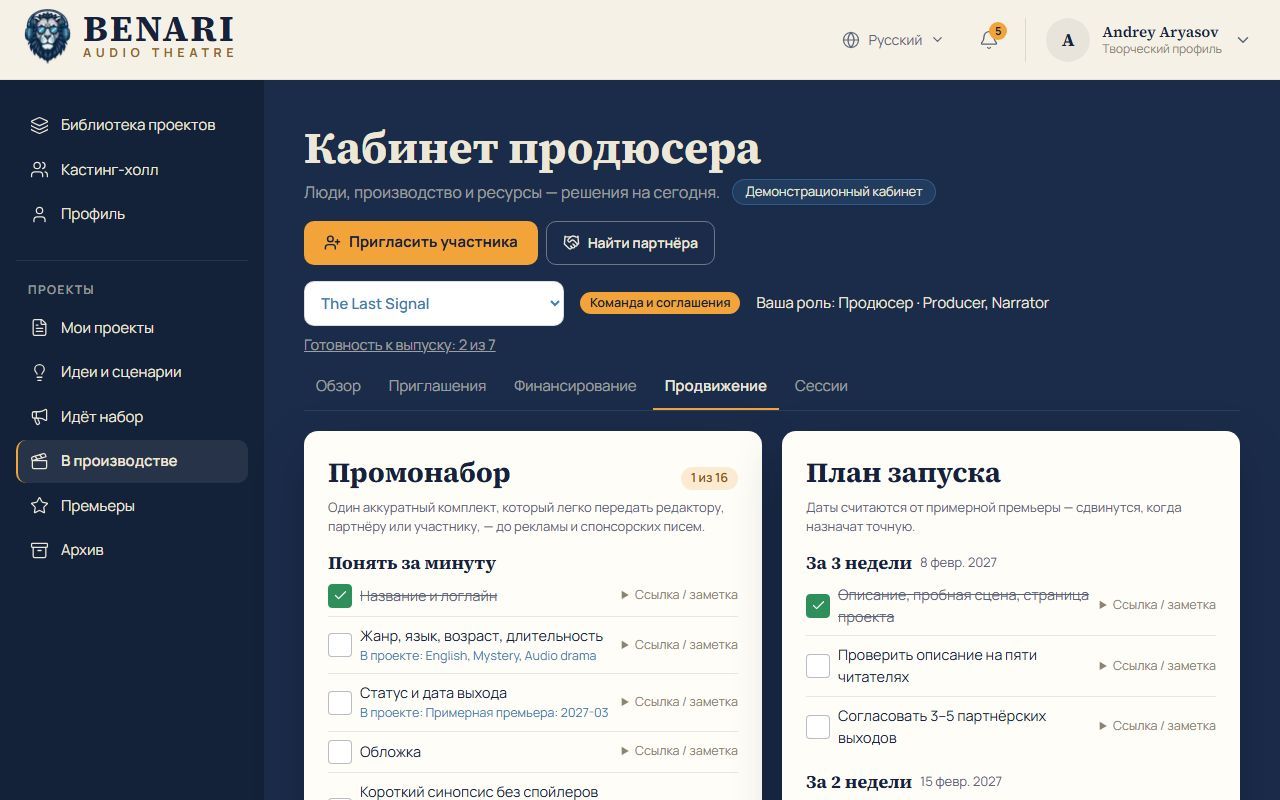
Sessions already appear in the manual: all rehearsals and recordings, scene and script-version selection, participants with replies and required materials; a sheet can be printed or saved as PDF. Promotion: the press pack includes title, logline, genre, language, duration, status and date, cover, synopsis, names and a 60-second trailer. An In the project hint identifies existing material, but users check items themselves.
The launch plan covers four weeks around the premiere: three, two and one week before, and premiere + 7 days. Before an exact date is set, it uses the estimated premiere; missed steps appear in the decision overview. Book clubs, libraries, cultural centres, media and podcasts are kept as partners under funding.
Permissions and access boundaries
In the manual: only production managers enter the room. An application is visible to its candidate and call managers; casting notes only to call managers, offer drafts to production managers. Documents stay private until access is selected. Partner packs and reports are visible to holders of an open secret link.
In the concept: a producer may delegate casting, scheduling or partner work, while sending, budget viewing and changing terms receive separate permissions. Internal candidate assessments, negotiation notes, personal offers and files retain their own boundaries. Granular delegation is an architectural direction, not a promise that every permission control already exists.
Participants should receive invitations, tasks and documents concerning them. A partner receives a selected presentation, its own proposal and permitted materials. Partner status alone must not expose the complete internal budget or all project correspondence.
Development sequence
This is the design sequence in the concept, not a claim that the manual's documented tools are absent.
- Producer Overview: team, resources and specific decisions for today.
- Invitations: compose, select recipients, preview, track sends and handle replies.
- Sponsors & Partners: needs, organisations, partner records and negotiation board.
- Sponsor proposal: build a pack, review the partner's view and send explicitly.
- Calendar / Session sheet: prepare working sessions and participant confirmations.
The foundation is BENARI's existing applications, messages, documents and calendar. External research sources, external email, a large sponsor directory and advanced automation follow the core workflows. These are development directions, not promises of current services or launch dates.
References from the original concept
Original research: checked 21 October 2026. These links reproduce the concept's reference points. They imply neither existing BENARI integrations nor a fresh verification of those services on this page.
- Backstage — Inviting Talent to Apply for Roles: multiple candidates, a project and role, and an invitation to apply; a reference for connecting search with personal outreach.
- Backstage — External Invitations: an external candidate, role and personal message; a reference for a separate extension to the internal channel.
- StudioBinder — Intro to Call Sheets: preparing and distributing session sheets and tracking confirmations; relevant to rehearsal and recording organisation.
- Passionfroot — Storefront: a media kit with channels, data and partnership packages; a reference for a clear partner offer.
- Passionfroot — Discover: matching campaigns and brands by audience, format and timing; useful with verified sources and suitable opportunities.
- Seed&Spark — How do loans work?: separate treatment of non-cash support; studio access, equipment and services as distinct needs.
The remaining BENARI architecture in the concept was developed from the user's request and prepared studio screens. Current capabilities on this page are cross-checked against the first BENARI Audio Theatre manual, describing the platform on 21 October 2026.